Product design & development · 2025—2026
Pilot Builder
A shared application for University of Portland Athletics department. Used by coaches, staff, and athletes coordinate training, wellness, and feedback.
Explore the application
New Engine
From stakeholder conversations, to a working web application.
- Project
- Pilot Builder · Five-person team
- My role
- Software Development Lead
- Focus
- Product design & full-stack development
- Timeline
- Aug 2025 — Apr 2026
01 / Overview
Pilot Builder brings training schedules, workout logs, wellness check-ins, practice feedback, and team information into one centralized athletics platform. By consolidating role-based dashboards for athletes, coaches, and sports medicine, the application simplifies daily performance tracking, injury updates, and team communication in a single, intuitive interface.
Challenge
Consolidating multiple tools
Our primary stakeholder for this project was for the Volleyball team. Meaning these pain points reflect their immediate operations, this challenge also applies across the entire Athletics department. Historically, the Sports Performance team has relied on a fragmented mix of platforms, including "Lumin Sports", "Team Buildr", and "Microsoft Excel". The core issue is that relying on these multiple, expensive applications fails to meet the department's actual needs; they are cluttered with unnecessary features staff rarely use, yet they lack the customizable tools that coaches and staff require to support their specific workflows.
Project role
My contribution
I led the full-stack product effort, translated user needs into interface decisions, coordinated frontend and backend work, and carried Figma prototypes through testing and implementation.
02 / Early planning
We met with stakeholders across Athletics to document their immediate needs, map role-based access, and prioritize a realistic MVP before translating those decisions into the interface.
Stakeholder discovery
Mapping the needs of an athletics program
My team and I met with stakeholders across Athletics to document their current workflows, immediate pain points, and the features the first version needed to support.
Roles and features
Defining who needed access
After meeting with staff and stakeholders, my team and I mapped the people and positions who could use Pilot Builder and the features each role would be able to access or update.
MVP prioritization
Prioritizing a realistic MVP
The requirements quickly grew beyond what we could realistically deliver in our short project timeline. We narrowed the MVP to the three core workflows with the greatest immediate value: coach tools, athlete tools, and sports medicine features.
Different roles, different needs
The planning separates athlete, coaching, sports performance, and sports medicine needs instead of assuming one view would serve everyone.
A flexible coach dashboard
The early home-screen concept explores adding and arranging widgets around individual needs, with those controls reserved for the coach.
Teams as a starting point
The supporting-staff sketch organizes access around teams, with each team leading to its own roster and home screen.
Interface exploration
I translated the prioritized stakeholder requirements into a layout concept that echoed the applications coaches and staff were already using, helping the new workflow feel familiar from the beginning.
03 / Figma prototype
The Figma prototype served as the base for the final web application, connecting the early planning work to the product’s interface and development.
Prototype screens01 / 06
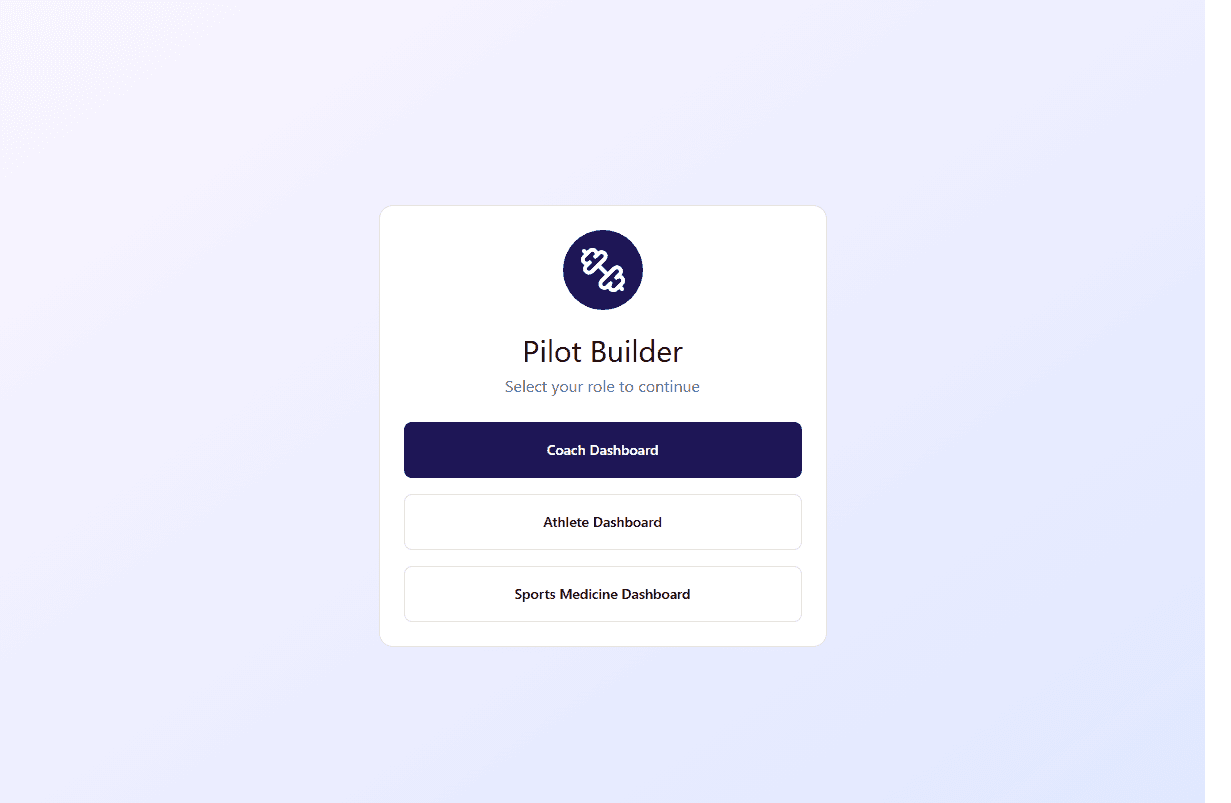
A simple entry point for each athletics role.
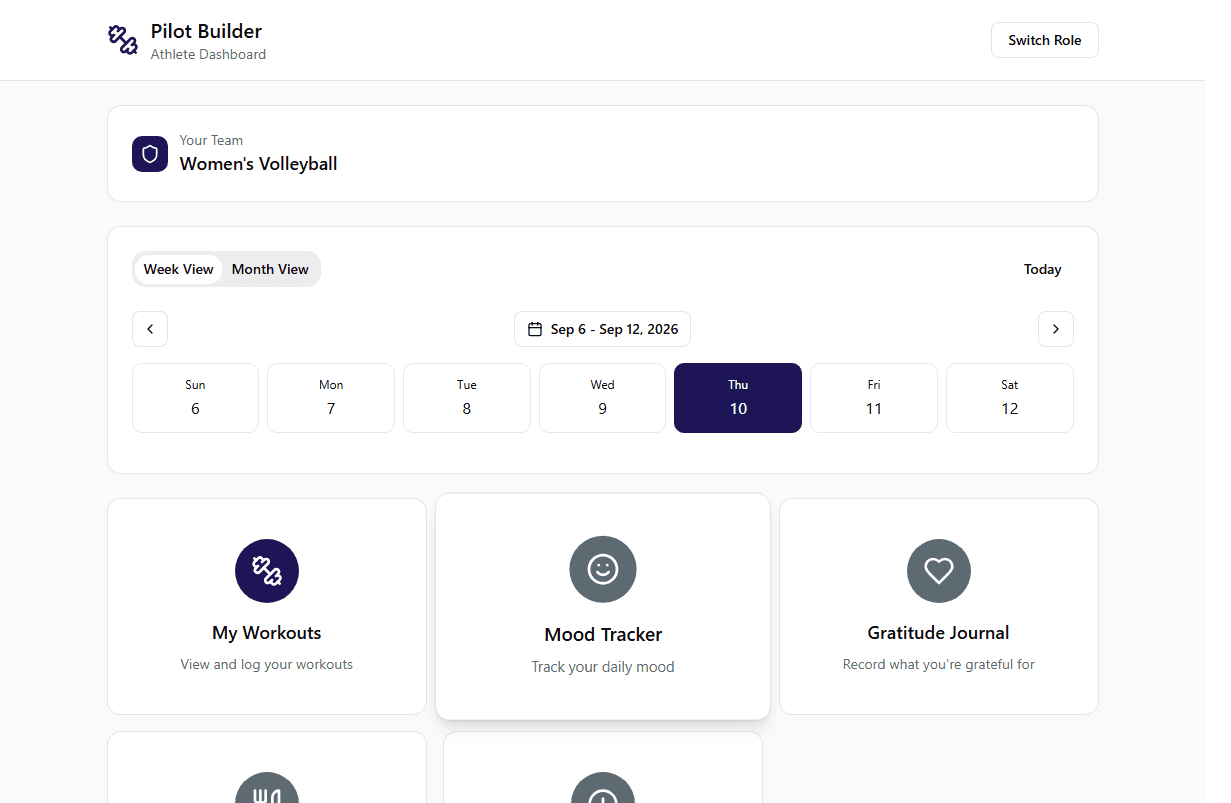
A weekly view of training and personal check-ins.
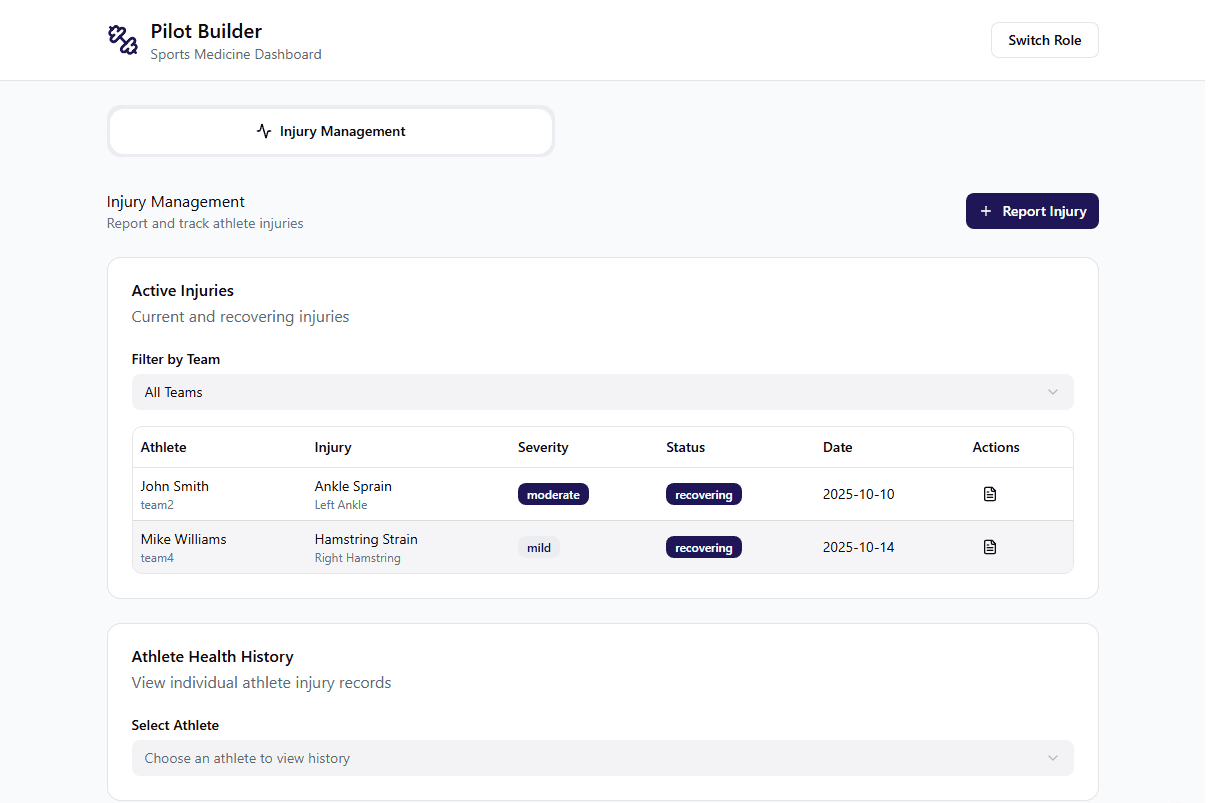
An injury-management view for supporting staff.
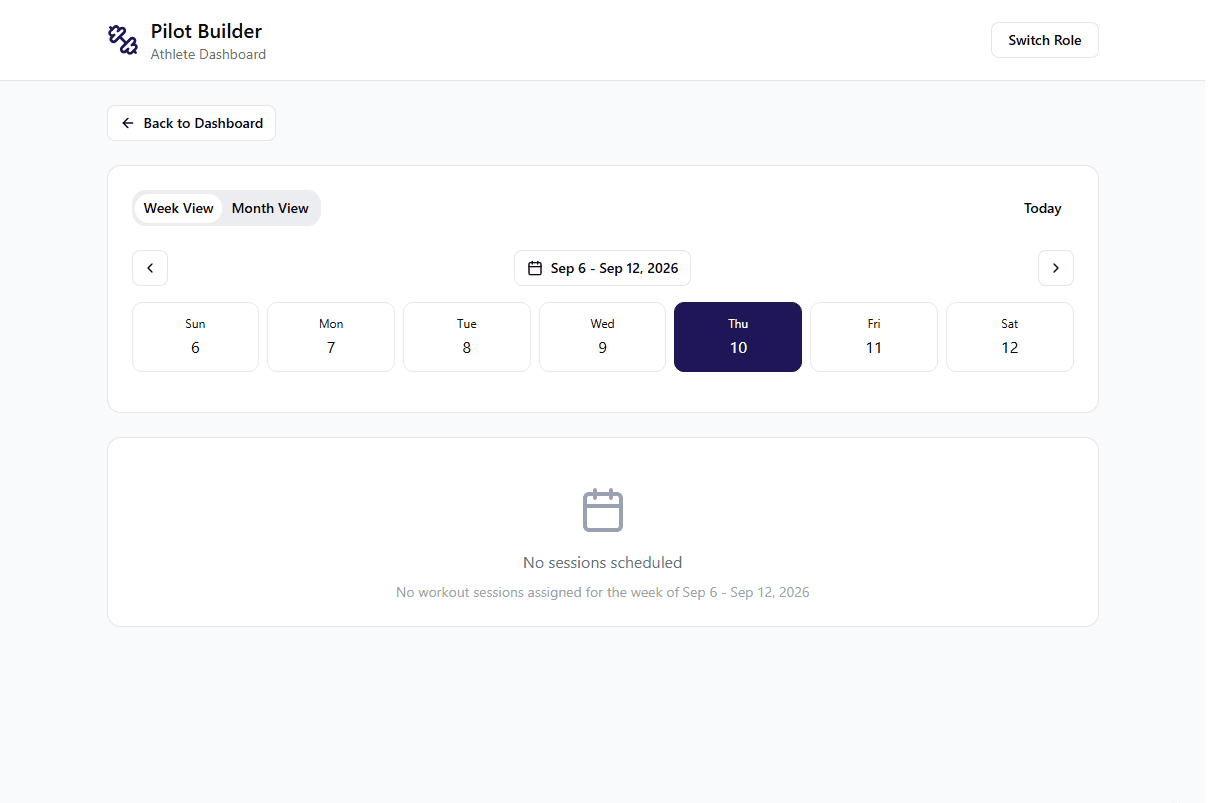
A focused weekly calendar for assigned sessions.
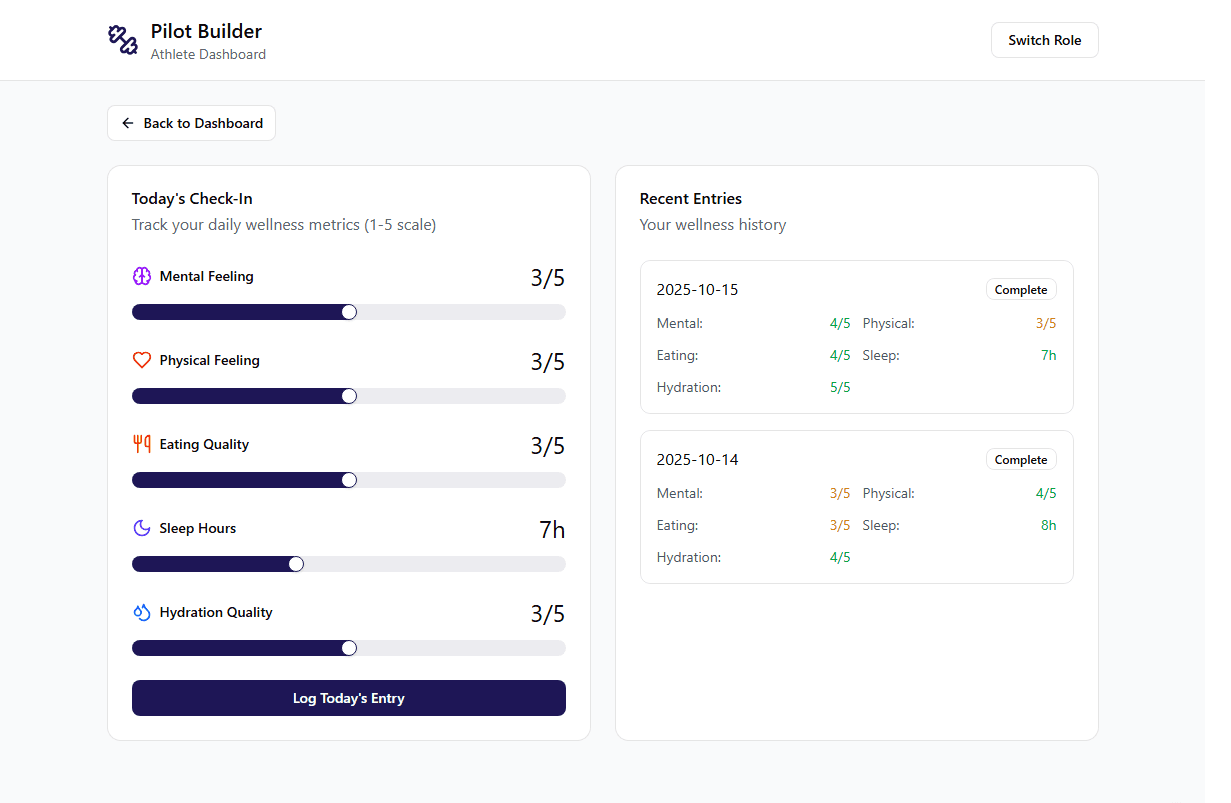
Daily inputs paired with recent wellness history.
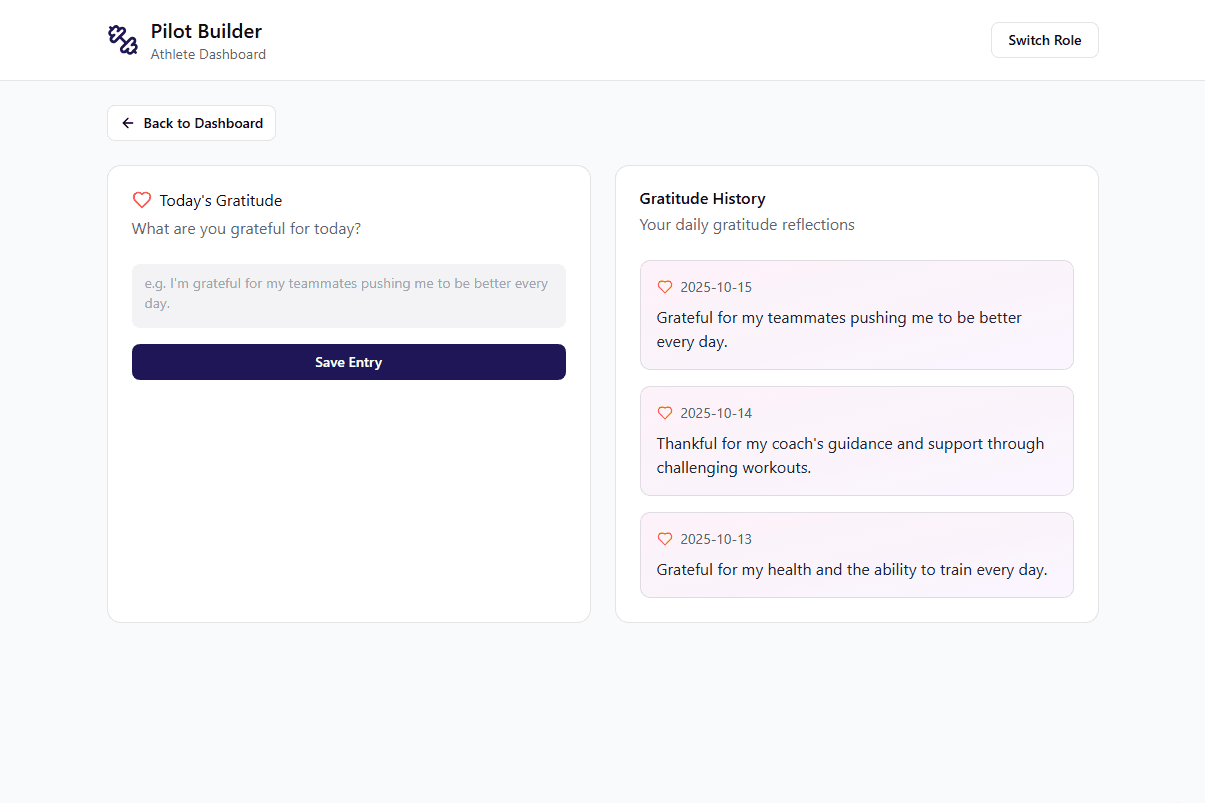
A private reflection flow with previous entries.
04 / The application
Step inside
Pilot Builder.
Explore the original application’s screens below. Switch between coach, athlete, and staff views, or open the preview in full screen for a closer look.
View the project on GitHub- · Team and athlete rosters
- · Training schedules
- · Workout logs
- · Wellness check-ins
- · Practice feedback
- · Medical records
- · Recorded workout history
- · Charts to visualize progress over time
- · Table views for closer review
Application Framework
How the application fits together
Pilot Builder connects a Laravel backend to a React interface through Inertia. The architecture groups the application into administration, clinical management, monitoring and planning, identity and accounts, and web delivery, giving each workflow a clear place in the system.
Workflows and records
Controllers handle injury reporting, health-tracker intake, and training schedules. Eloquent models represent injury and user records, schedule assignments, and workout records, while typed client route contracts define requests for the injury and tracker flows.
From request to interface
A web request enters Laravel, which boots the application and configures the runtime. Inertia connects that runtime to an HTML shell that loads the React client and resolves the user-facing pages.
Administration and access
Backpack controllers support administrative create, read, update, and delete workflows, including the injury console. Separate controllers manage profiles, account lifecycle, and authentication sessions around the user account record.
05 / UX/UI Beta testing
Learning from
the people using it.
After building the application, I conducted beta testing with athletes, a coach, and sports medicine staff. Their feedback highlighted a simple, approachable interface and specific workflows that needed more guidance.
- Beta-test respondents
- 6
- 3 athletes, 1 coach, and 2 sports-medicine trainers.
- Praised simplicity or navigation
- 6 / 6
- Every respondent described the design as simple, clear, or easy to navigate.
- Found practice feedback easy
- 4 / 6
- Named practice feedback among the easiest tasks to complete.
Source: Responses to the Pilot Builder UX Beta Testing Survey after the Beta Launch
“very clean and easy to navigate”Student-athlete, beta-test survey
The clearest strength was an interface that felt easy to use. Respondents highlighted the uncluttered dashboard, straightforward navigation, and simple feedback tools.
4/6 respondents also valued having information in one place, from workouts and athlete evaluations to injuries and treatments. That supported the goal of bringing daily athletics workflows into a shared application.
Clarify injury and treatment workflows
3 athletes and both trainers described uncertainty around injury reports or treatments. Feedback pointed to clearer ownership of entries, more guidance within forms, and an easier path to scheduling treatments.
Guide the first steps
1 athlete requested an introductory tutorial, and the coach wanted clearer direction from profile creation to the dashboard. Both pointed to a need for better onboarding.
Add clearer visual cues
An athlete suggested color coding tasks, while the coach wanted a color-coded calendar. These requests highlighted an opportunity to make activities easier to distinguish at a glance.
Issues to address before launch
2 respondents reported page errors: a 404 when signing into a sports-medicine account and a dashboard link that failed to load. Another could not find a sample workout to try. Trainers also requested more detailed clinical tools, including SOAP-format notes and richer athlete medical profiles.
06 / Reflection
Testing with coaches, student-athletes, sports medicine staff, and early stakeholder feedback helped the team identify usability bottlenecks and technical edge cases early, allowing us to iteratively refine the interface long before final deployment. By actively observing how coaches and athletes interacted with early prototypes, we made high-impact adjustments to overall page hierarchy, workout submission flows, and team navigation.
Leading the product effort meant continuously bridging the gap between stakeholder expectations, UX/UI decisions, and full-stack implementation. By ensuring design decisions were always grounded in stakeholder reality and engineering feasibility, we created a cohesive experience that truly serves the Athletics department.
Pilot Builder · Product design & development, 2025—2026
Back to top